Get a prepaid electricity advance when you need it
Choose the web portal, MoyaApp, WhatsApp or USSD. Check eligibility and the amount available for your prepaid meter before you confirm.
Message Umhlakasi in MoyaApp even when you have no airtime or data balance.
For text messaging on supported South African networks. MoyaApp and network coverage are required. Downloads, media and external links may use data.
How to get an electricity advance
Choose your channel
Open the portal, MoyaApp or WhatsApp, or dial the USSD code *120*12209#.
Check your meter
Select a saved meter or enter the prepaid meter number in the secure channel.
Review and confirm
Check eligibility, review the amount and applicable terms, then confirm your request.
Receive your token
Once the advance is completed, use the returned token on the selected meter. Repay later under the accepted terms.
Looking for how to borrow electricity? Start by checking whether your prepaid meter qualifies.
Choose a ChannelChoose the way that works for you
Web Portal
Register or log in with your mobile number or email and PIN/password. Manage advances, saved meters, balances, history and tokens. Internet access is needed.

MoyaApp
Message without airtime or data balanceRecommended when out of airtime and data. Open MoyaApp, message +27 87 813 4433, send MENU and follow the options shown. Text messaging works on supported South African networks; network coverage is still required. Downloads, media and external links may use data.
Message 087 813 4433 and send MENU. Use mobile data or Wi-Fi; a separate airtime balance is not required when internet access is available.
USSD (*120*12209#)
Dial *120*12209# and follow the menu. No smartphone or data bundle is needed. Airtime is required and network charges apply.
Selectable code: *120*12209#.
Messaging & USSD Channel Preview
Select a channel below to preview the menu screen before starting.
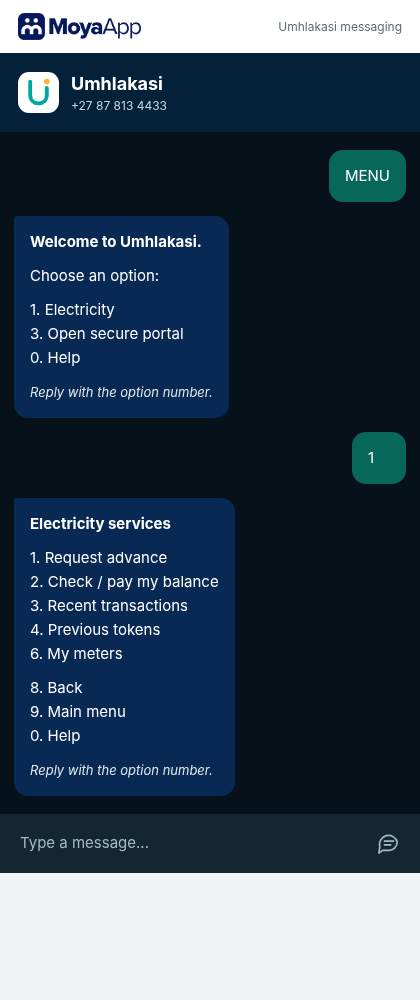
Message Umhlakasi in MoyaApp and follow the numbered options.
Open MoyaAppMore control over your electricity account
Manage everything seamlessly across web portal and messaging channels.
Know your options
Check the amount available for your meter before confirming.
Find your recent tokens
Retrieve up to the last four tokens returned for a selected saved meter.
Keep track of your balance
View your outstanding advance and repayment information.
Review your history
See electricity advances and repayments in one place.
Manage your saved meters
Label saved meters and choose a primary meter. Your meter is saved after a successful electricity advance returns a valid token.
Manage your profile
Update your details and manage your PIN/password through the portal.
Your electricity account, all in one place.
Register or log in to request an advance, manage saved meters, check balances, view history and retrieve recent tokens.
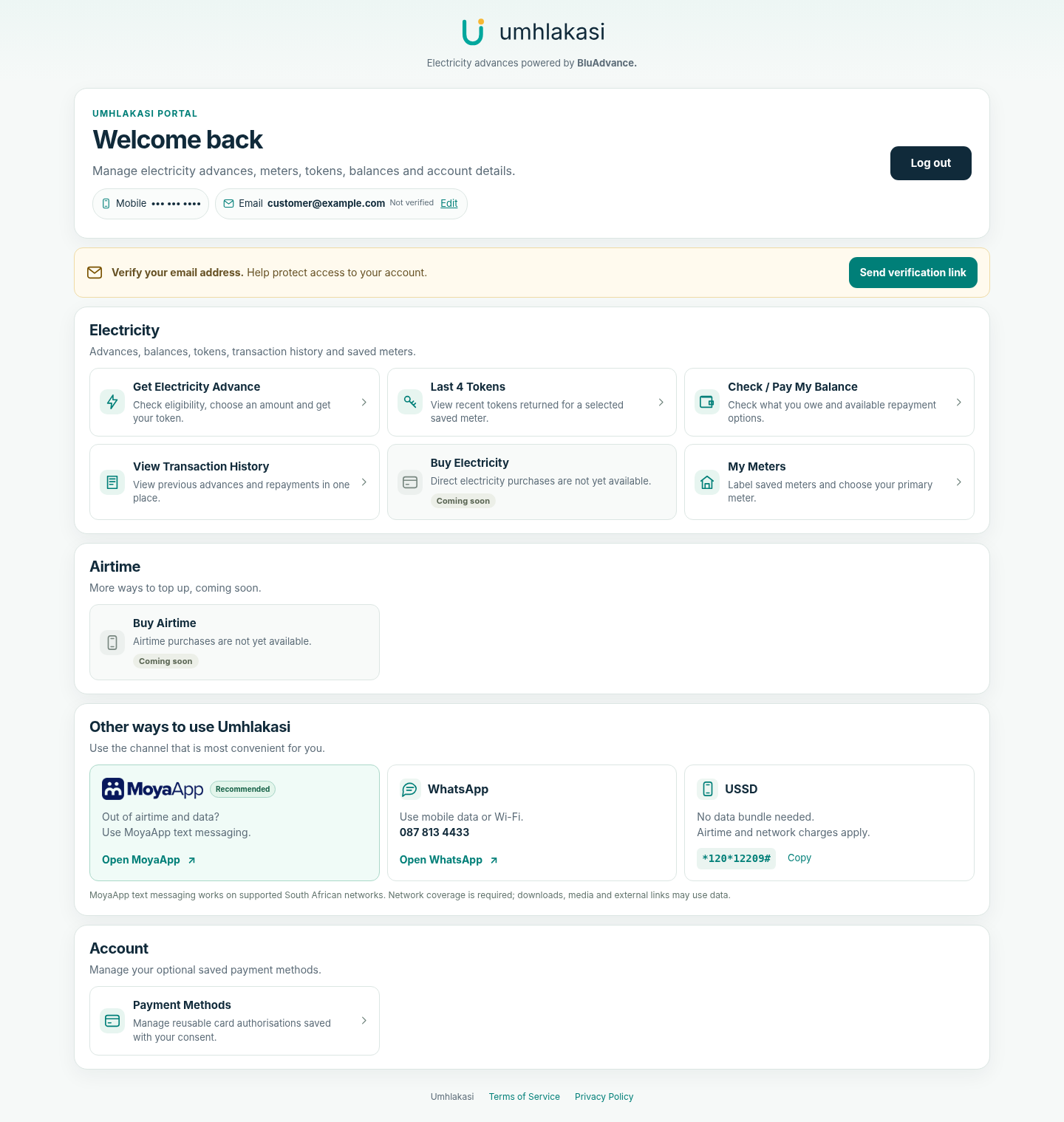
Manage advances, meters, balances and recent tokens in the portal.
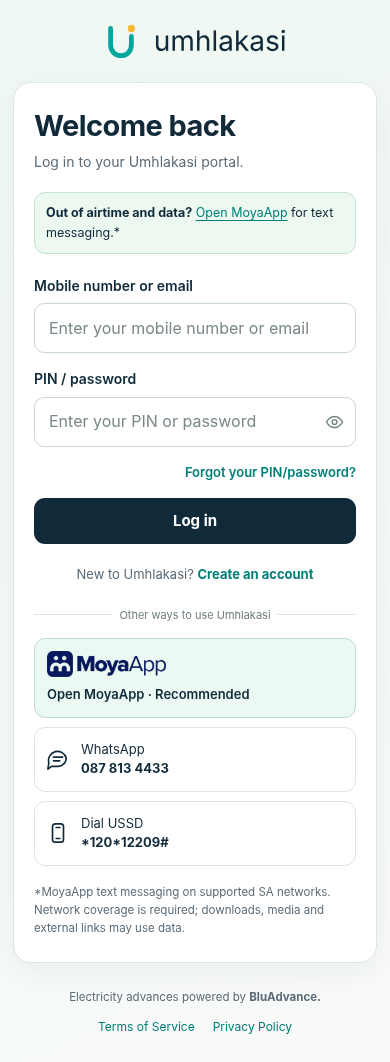
Open the portal to register or log in.
Advance amounts and eligibility
- Available advance values: R20, R30 or R50, inclusive of the applicable service fee.
- Current service fee: R5 including VAT per electricity advance. The token value can be lower than the selected advance value because the fee is included.
- Your available option depends on your transaction, electricity-use/purchase and repayment history and other BluAdvance criteria.
- You must be 18 or older. Eligibility is checked for every request and approval is not guaranteed.
- Only one advance may be active at a time. Repay the outstanding advance in full before another can be approved.
Understand what happens at your next top-up
BluAdvance recovers an outstanding advance from later qualifying purchases under its terms. A later electricity top-up can therefore deliver less electricity, or in some circumstances no electricity from that purchase, until the amount is settled. Recovery is not limited to purchases made through Umhlakasi and can apply to purchases for a linked meter.
Check the displayed fee, electricity-token value and total amount owed before confirming. Use your balance and transaction history to see repayments.
Review the applicable terms in the secure channel. Amounts, eligibility and repayment conditions can differ.
More ways to top up, coming soon
We are continuously expanding options for our South African prepaid customers.
Buy Electricity
Coming soonBuy Airtime
Coming soonElectricity advance questions, answered
Everything you need to know about requesting advances, repayment, and channel access.
Getting Started
Amounts, Repayment and Tokens
Your Account and Services
Choose the way that works for you
Check whether your prepaid meter qualifies via Web Portal, MoyaApp, WhatsApp or USSD.